
If you run a contracting business, there is no single advertising channel on the planet that gives you a more direct line to paying customers than Google Local Service Ads.
You pay only when a potential customer contacts you — not for clicks, not for impressions.
For local service businesses in the United States, LSAs have quietly become one of the most powerful lead-generation tools available.
In this Local Service Ads For Contractors Guide, we are going to walk you through everything:
What Local Service Ads actually are, who they work best for, how to set up your account, what Google now calls the Google Verified badge (and why the old “Google Guaranteed” program changed), how Google decides which contractors get leads, and the optimization strategies that actually move the needle.
Whether you are a plumber, electrician, roofer, HVAC company, or general contractor, this is the roadmap you need.
What Are Google Local Service Ads?
Google Local Service Ads — commonly called LSAs — are a pay-per-lead advertising product built specifically for local service businesses.
When a consumer in your area searches Google for a service you offer, your ad can appear at the very top of the search results page — above traditional Google Ads and above organic search results.
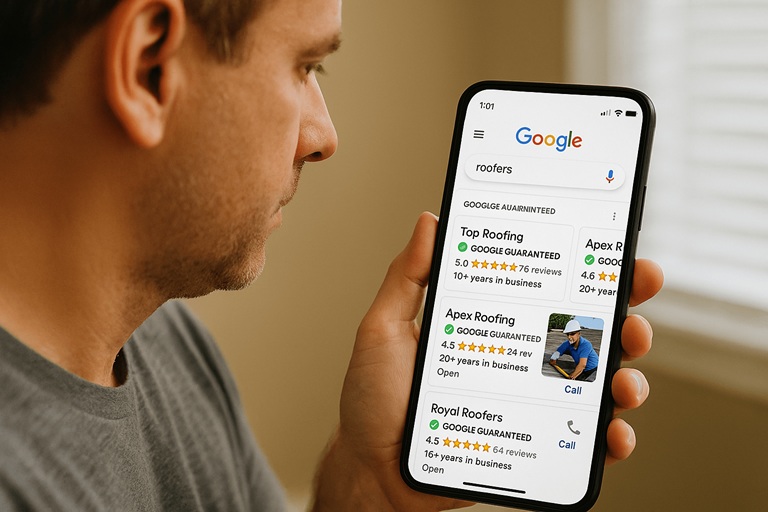
The consumer sees your business name, your star rating, your phone number, and a trust badge. If they call or message you through the ad, you pay. If they do not, you owe nothing.
According to Google’s official Local Services Ads overview, your ad highlights the most important information for customers to choose your business: services offered, service area, hours, and reviews.
LSAs operate on a fundamentally different model than pay-per-click ads — you are not bidding on keywords or paying for every person who lands on your page. You are paying for actual customer contact.
Why Google Local Service Ads for Contractors Matter
To understand why Google Local Service Ads for contractors are such a big deal, you need to understand where your customers are actually searching.
Google commands roughly 90 percent of the global search engine market. When someone in your city needs a plumber, an electrician, or a roofer, the overwhelming majority of them are going to type that request into Google.
And local intent is everywhere on that platform. Research consistently shows that nearly half of all Google searches have local intent — meaning the searcher is looking for a business or service in a specific geographic area. When those searches happen, Google displays results across four distinct sections of the search results page:
- Local Service Ads (Paid) — the very top of the page
- Google Ads / Pay-Per-Click (Paid) — below LSAs
- Google Maps / Local 3-Pack (Organic) — a snapshot of top-ranked local businesses
- Organic Search Results (Organic) — traditional blue-link results
Here is the critical insight for contractors: national lead-reselling platforms like Angi (formerly HomeAdvisor and Angie’s List) can never appear in Google Maps or Local Service Ads. Those sections are reserved for actual local businesses. That gives you a structural advantage that no national lead marketplace can match — but only if you are showing up in those spaces.
| Why LSAs Beat Paying for Resold Leads: Lead-reselling companies acquire leads by spending heavily on Google Ads and investing in SEO to rank in organic search results. They then resell those same leads to you at a markup. With Google Local Service Ads, you are going directly to the source. You pay Google for leads yourself — cutting out the middleman entirely. The result? Lower cost per lead, higher lead quality, and leads that arrive when a customer is actively searching for your service. |
Who Are Google Local Service Ads Best Suited For?
LSAs work best for service-based businesses where customers are looking for a quick, trustworthy provider to solve a problem.
The consumer does not need to tour a showroom or spend weeks researching options — they need someone to show up and do the job. Google has expanded LSA eligibility to cover over 70 business categories, and the list continues to grow. Some of the most common contractor categories include:
- Plumbers
- Electricians
- HVAC companies
- Roofers
- Landscapers
- Handyman services
- Pest control
- Locksmiths
- Garage door repair
- Concrete and foundation work
What About Big-Ticket Projects Like Remodels and Additions?
LSAs tend to perform best for service calls where the decision-making process is relatively fast.
When a homeowner needs their drain unclogged or their furnace repaired, they want a trusted contractor quickly.
A handful of good reviews and a verified badge may be all it takes to earn the call.
For larger projects — kitchen remodels, home additions, full renovations — the sales cycle is longer, and the investment is significantly higher.
Homeowners in that situation typically do more research before they pick up the phone. They want to see your website, look at portfolio photos, read your About Us page, and get a feel for your company before they reach out.
LSAs do not offer a direct link to your website, which means some of these high-consideration buyers may skip your LSA listing and look for you on Google Maps instead — where they can find your full website, your project gallery, and your story.
That does not mean you should ignore LSAs if you do larger projects. They can still generate leads. It simply means that for high-ticket work, your Google Business Profile and your website need to be doing the heavy lifting simultaneously.
We cover how to build that kind of multi-channel presence later in this guide.
LSA Availability by Location and Industry
LSAs are not yet available everywhere or for every trade. Google has been rolling them out gradually since 2015 and continues to expand coverage.
Before you invest time in setting up an account, check whether your industry and your zip code are eligible.
You can do that directly on Google’s Local Service Ads signup page. Enter your zip code and select your service category — if it is available, you will see estimated pricing and next steps.
Requirements for Getting Started with LSAs
Google takes the vetting process seriously. Before your ads can run, you need to meet a set of baseline requirements. Some are non-negotiable — if you cannot meet them, you simply cannot participate. Others are best practices that will significantly affect your results.
Hard Requirements (Must Meet to Participate)
- You must have a verified Google Business Profile. As of late 2024, Google made GBP verification mandatory for all LSA accounts in the United States and Canada.
- LSA must be available for your specific service category in Google’s system.
- LSA must be available in your geographic area.
- You must be able to provide proof of license and insurance if your trade requires them — and Google will check.
- You must pass a background check. Google uses third-party screening to verify the legitimacy of your business and its operators.
Local Service Ads for Contractors Best Practices (Will Significantly Impact Your Results)
- Build up your review count. Google compares your reviews directly against your competitors. If everyone around you has 200 reviews and you have 12, you are starting at a disadvantage before you even turn on ads.
- Have a professional website. Even though LSA ads do not link directly to your site, many consumers will search your business name after seeing your ad. If there is no website — or if the website looks outdated — you will lose them.
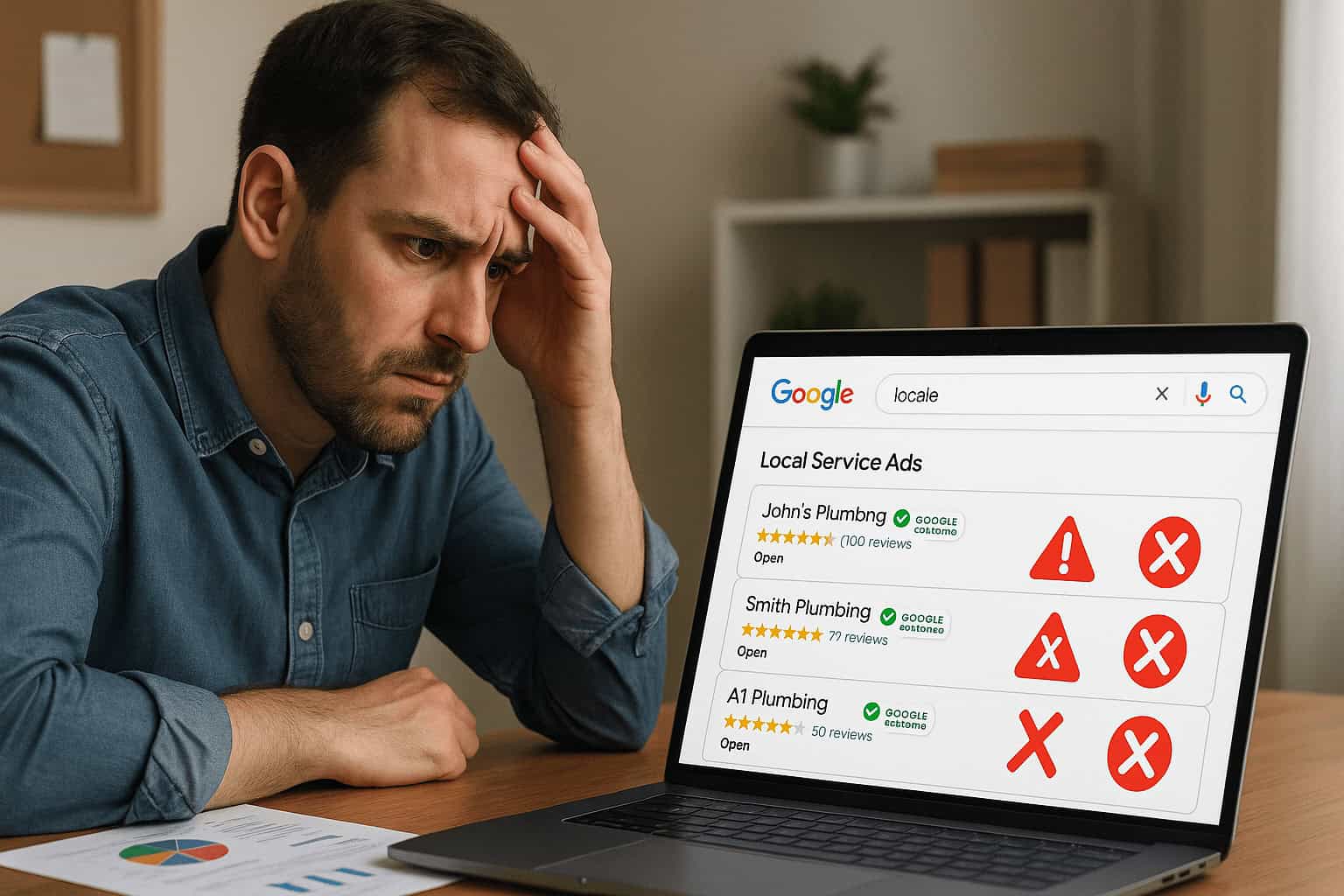
- Answer every call promptly. Google records LSA calls and tracks your responsiveness. Letting leads go to voicemail is one of the fastest ways to get fewer leads sent your way.
Setting Up Your Google Business Profile First
Your Google Business Profile is the foundation of your entire local online presence — and it is now directly tied to your LSA account.
Head to google.com/business and log in with your Google account. If a listing for your business already exists (someone else may have created it), do not create a duplicate. Duplicates create confusion for Google and can hurt your rankings across all local search channels. Claim and verify the existing listing instead.
Make sure your GBP name, address, phone number, and hours match exactly what you will enter in your LSA profile. According to Google’s guidance on Business Profiles, consistency between your GBP and your LSA is critical for both verification and performance.
Understanding the Google Verified Badge (What Happened to Google Guaranteed?)
If you have seen older articles or guides that reference the “Google Guaranteed” badge, know that the program has changed.
As of October 20, 2025, Google retired the Google Guaranteed, Google Screened, and License Verified badges. All of those have been unified into a single, streamlined trust signal: the Google Verified badge.
What Changed — and What Stayed the Same
The screening and verification process itself has not changed. To earn the Google Verified badge, your business still needs to pass background checks, provide proof of licensing (where required by your industry), and submit insurance documentation. What changed is how Google communicates that verification to consumers.
Under the old system, the Google Guaranteed badge came with a money-back guarantee — Google would reimburse customers up to $2,000 if they were unsatisfied with work booked through LSA. That reimbursement program has been discontinued as part of this transition.
For contractors, this means you can no longer market your business as “backed by Google’s money-back guarantee.” The Google Verified badge confirms that your business is legitimate and has passed Google’s vetting process — but it no longer carries a financial safety net. According to industry analysis of the change, this places even greater emphasis on your reviews, your reputation, and your responsiveness as differentiators.
| What This Means for Your Marketing: Update any website copy, social media posts, or printed materials that reference “Google Guaranteed.” The correct language going forward is “Google Verified.” If your business was already verified under the old system, your badge should have automatically updated — no action required on your part. |
How to Set Up Your Google Local Service Ads Account
As of January 6, 2025, Google discontinued the standalone LSA mobile app. All LSA account management now takes place through the Google Ads platform at ads.google.com/localservices. Here is the step-by-step process:
- Sign in at ads.google.com/localservices using the Google Workspace account tied to your business domain. Using a personal Gmail account works, but a branded domain builds credibility and keeps your business accounts organized.
- Select “New Local Service Ads Account” and click Continue.
- Check eligibility: Enter your zip code, state, and job category. If your service type is available in your area, you will be able to proceed.
- Enter your business information: Business name, phone number, website URL, owner name, number of field workers, business start year, and your business address. Pull this information directly from your Google Business Profile to ensure consistency.
- Set your service areas. Google lets you define where you want your ads to show. Start with the largest reasonable area — we will talk about fine-tuning this later in the optimization section.
- Select your job types. Choose every service category that applies to your business. The more job types you select, the more types of searches your ad can appear for.
- Accept licensing terms and set your business hours. Match these to your Google Business Profile unless you intentionally want your LSA to run on different hours.
- Submit proof of insurance. Upload your current certificate of insurance. Google typically verifies this within a few hours.
- Complete your background check. Google uses a third-party provider to run this. You will need to upload your Social Security number and a government-issued ID or passport. Approval can take up to six weeks.
- Set your budget. Google has removed minimum bid requirements, so you can set any weekly budget you choose. However, if your budget is too low to be competitive, you will not receive leads. We cover budget strategy in the optimization section.
- Add photos to your profile. Photos of your team, your equipment, and your completed work help your ad stand out and give potential customers confidence before they contact you.
How Google Decides Which Contractors Get Leads: The LSA Ranking Factors
This is where most contractors get stuck. You have set up your LSA account, you are paying Google, but the leads are not coming in — or they are coming in much slower than you expected. Understanding how Google ranks LSA ads is the single most important thing you can do to improve your results.
According to Google’s official documentation on ad rankings, LSA ads are displayed and ranked based on an auction that considers two primary inputs: your bid and your overall profile quality.
1. Your Bid
Your bid is the maximum amount you are willing to pay per lead. Google recommends using the “Maximize Leads” bidding strategy, which lets their system automatically adjust your bid to get the most leads within your weekly budget. Contractors using Maximize Leads typically receive more leads than those who set manual bids, because Google can optimize in real time.
2. Your Responsiveness
Google tracks how quickly and how well you respond to leads. Missed calls hurt your ranking. Poor phone interactions hurt your ranking. Google routes every LSA call through their own tracking number and uses AI to analyze the conversation — they can tell if you actually engaged with the potential customer or brushed them off.
This is not a one-time evaluation. Google is continuously monitoring your responsiveness over time. If you consistently answer calls professionally and engage with potential customers, Google will send you more leads. If you do not, they will send them to someone else.
3. Your Profile Quality
Profile quality is a composite score that factors in several elements:
- Your star rating and total review count. This is the single biggest lever you have. A business with a 4.9-star rating and 300 reviews will almost always outrank one with a 4.2-star rating and 40 reviews — all else being equal.
- Average response time. For message leads in particular, Google may display your average response time directly in your ad. Fast response = more leads.
- High-quality photos. Profiles with images rank higher and may also pay lower costs per lead, according to Google.
- Verification status. Completing all available verification checks (background check, license, insurance) signals legitimacy and boosts your profile.
- Complaints. If customers file complaints through Google about your business, it will negatively impact your ranking. Keeping your complaint rate low is not optional.
4. Proximity to the Searcher
Google factors in how close your business is to the person searching. If a homeowner is searching for a plumber three miles from your shop, and your competitor is ten miles away, proximity gives you an edge — assuming everything else is comparable.
5. Ecosystem Health and Lead Diversity
Google also optimizes for the overall health of the LSA marketplace. That means new advertisers will sometimes receive leads even before they have built up a track record — Google needs to evaluate how you handle those leads. Think of it as a probationary period. Prove yourself by being responsive and professional, and more leads will follow.
What to Expect When You First Turn on LSA Ads
The number one reason contractors get frustrated with LSAs is unrealistic expectations about the timeline. If you sign up and expect a flood of calls on day one, you are going to be disappointed — unless you happen to be the only advertiser in your market.
LSAs are a competitive marketplace. In any given area, there are a finite number of leads available each month, and multiple contractors are competing for them. Google distributes those leads based on the ranking factors we just covered.
A brand-new advertiser with no track record, no reviews, and a modest budget is going to receive fewer leads than an established competitor who has been spending consistently and maintaining a stellar profile.
| How the LSA Marketplace Actually Works — A Real-World Example: Imagine your metro area generates 100 plumbing-related LSA leads per month. Twenty plumbing companies are competing for those leads. The top three — who have been spending thousands per month for years and have 200+ reviews — might each receive 15 leads. That accounts for 45 of the 100. The next tier of competitors splits another 40 or so. That leaves roughly 15 leads for everyone else. If your budget is set too low to be competitive, or you just signed up last week, you might receive just 2 or 3 leads while Google evaluates your account. This is not a bug — it is how the system works. The path forward is patience, consistent spending, and relentless focus on the factors within your control. |
How to Optimize Your LSA Account and Get More Leads
Once your LSA account is active and you are receiving leads, the real work begins. Optimization is an ongoing process — you assess what is happening, make adjustments, wait for results, and repeat. Here are the strategies that have the biggest impact.
Strategy 1: Build Your Review Count Aggressively
Reviews are the single most controllable factor in your LSA ranking. Your LSA ad pulls reviews directly from your Google Business Profile, so every review you earn on your GBP also strengthens your LSA. The goal is not just to have good reviews — it is to have more of them than your competitors, consistently.
Make requesting reviews a standard part of your post-job workflow. Train your technicians to send a follow-up text or email with a direct link to your Google review page. Tools like Go High Level or similar CRM platforms can automate this process so it happens every single time without anyone having to remember.
Strategy 2: Fine-Tune Your Service Area to Reduce Competition
Because you are competing with other contractors for a limited pool of leads, reducing the number of competitors you face can dramatically improve your results. Try searching Google for your service type in different parts of your metro area and count how many LSA advertisers appear. If your city center has 20 plumbers running LSA ads but a neighboring suburb only has 5, you may get more leads by narrowing your service area to that less competitive zip code — at least until you have built up enough of a track record to compete more broadly.
Strategy 3: Extend Your Ad Hours Beyond Normal Business Hours
Most contractors run their LSA ads during standard business hours — 8 AM to 5 PM. If everyone in your market is doing that, then nobody is capturing the calls that come in at 6 PM, 7 PM, or on weekends. If you can staff someone to answer the phone during those hours, even on a rotating basis, you can capture leads that your competitors are simply ignoring.
Strategy 4: Maximize Your Job Types
Go through every available job type in your LSA dashboard and turn on every one that applies to your business. There may be a niche service category — like “water heater installation” or “garage door spring repair” — where very few competitors in your area have that job type enabled. You could end up being the only advertiser capturing those leads.
Strategy 5: Enable Message Leads
Many contractors focus only on phone calls, but Google specifically recommends enabling message leads to increase the likelihood of receiving them — especially on nights and weekends. Message leads typically cost less than phone leads, and they give you a chance to engage with a potential customer in writing. Make sure someone is monitoring and responding to messages promptly.
Strategy 6: Run Google Ads and Local SEO Alongside Your LSA
LSAs do not exist in isolation. The most successful contractors treat them as a single layer in a multi-channel lead-generation strategy. Running Google Ads (pay-per-click) alongside your LSA can have a positive ripple effect — some advertisers have observed that increasing their overall Google ad spend led to significantly more LSA leads as well.
The theory is straightforward: when Google sees that you are a serious advertiser willing to invest across multiple channels, they may reward that commitment with better placement in LSAs.
At the same time, investing in Local SEO to rank in the Google Maps 3-Pack and organic results creates a flywheel effect.
Customers who see your business name in LSA ads and then see it again in the Map Pack are far more likely to trust you and reach out. That kind of visibility compounding is what separates contractors who are doing well from those who are thriving.
Common Mistakes Contractors Make with Google Local Service Ads
Mistake 1: Expecting Instant Results
As we covered above, the LSA market is competitive and has a ramp-up period.
New advertisers do not immediately dominate. It takes time — sometimes weeks or months — to build the track record that Google needs to see before sending you a steady stream of leads. Patience is not optional here.
Mistake 2: Relying on LSAs as Your Only Lead Source
LSAs are a paid channel. If you turn them off, the leads stop. The most resilient contractors diversify their lead generation across multiple channels — organic local SEO, Google Ads, a strong website, referral networks, and social media. Each of these channels reinforces the others. A contractor who only relies on LSA is one budget cut or one Google policy change away from losing their entire lead pipeline.
Think of your lead generation strategy as a system, not a single switch.
LocalBizGuru’s 3-Stage Growth Plan is specifically designed to help contractors build exactly that kind of layered, sustainable approach to customer acquisition.
Mistake 3: Not Flagging Low-Quality Leads
Google switched to an automated lead credit system in mid-2024, which means you no longer manually dispute individual leads. However, you can still flag leads as low-quality in your LSA dashboard.
Categories like spam, geographic mismatches, and job type mismatches can all be flagged. Google uses this feedback to improve its system, and consistently flagging helps protect your budget.
Putting It All Together: Your LSA Action Plan
Google Local Service Ads are not a magic button. They are a well-engineered advertising system that rewards contractors who play by Google’s rules: stay responsive, maintain a stellar reputation, invest consistently, and show up professionally every single time a potential customer reaches out.
Here is the condensed action plan to get started and make the most of LSAs:
- Verify and fully optimize your Google Business Profile first. Everything else builds on this.
- Check LSA eligibility for your trade and your zip code at ads.google.com/localservices.
- Set up your LSA account following the step-by-step process outlined above. Use your branded Google Workspace account.
- Complete all verification steps — background check, license, and insurance — as quickly as possible.
- Set your budget using the “Maximize Leads” strategy and be prepared to wait several weeks for leads to ramp up.
- Build a review-collection system into your post-job workflow. Automate it if possible.
- Enable message leads and extend your ad hours beyond standard business hours.
- Monitor your account weekly. Adjust service areas, job types, and hours based on what you are seeing.
- Run LSAs as part of a broader strategy — not as your only lead source. Pair them with local SEO, Google Ads, and a professional website.
| Want Help Getting Started? If you are a contractor in Northeast Ohio — or anywhere else — and you want someone to handle the setup, optimization, and ongoing management of your Google Local Service Ads, LocalBizGuru specializes in exactly this. We work with roofers, HVAC companies, plumbers, electricians, and other home service contractors to build the kind of multi-channel lead generation system that actually delivers consistent results. Reach out to us at localbisguru.com to start a conversation. |